 RAPP Student Docs
How to Onboard on the RHEMA App
Learn the step-by-step process for creating your account, setting up your profile, and navigating key features on the RHEMA App. This guide will help you quickly get started and make the most of the app's functionalities.
Enter Your Basic Information
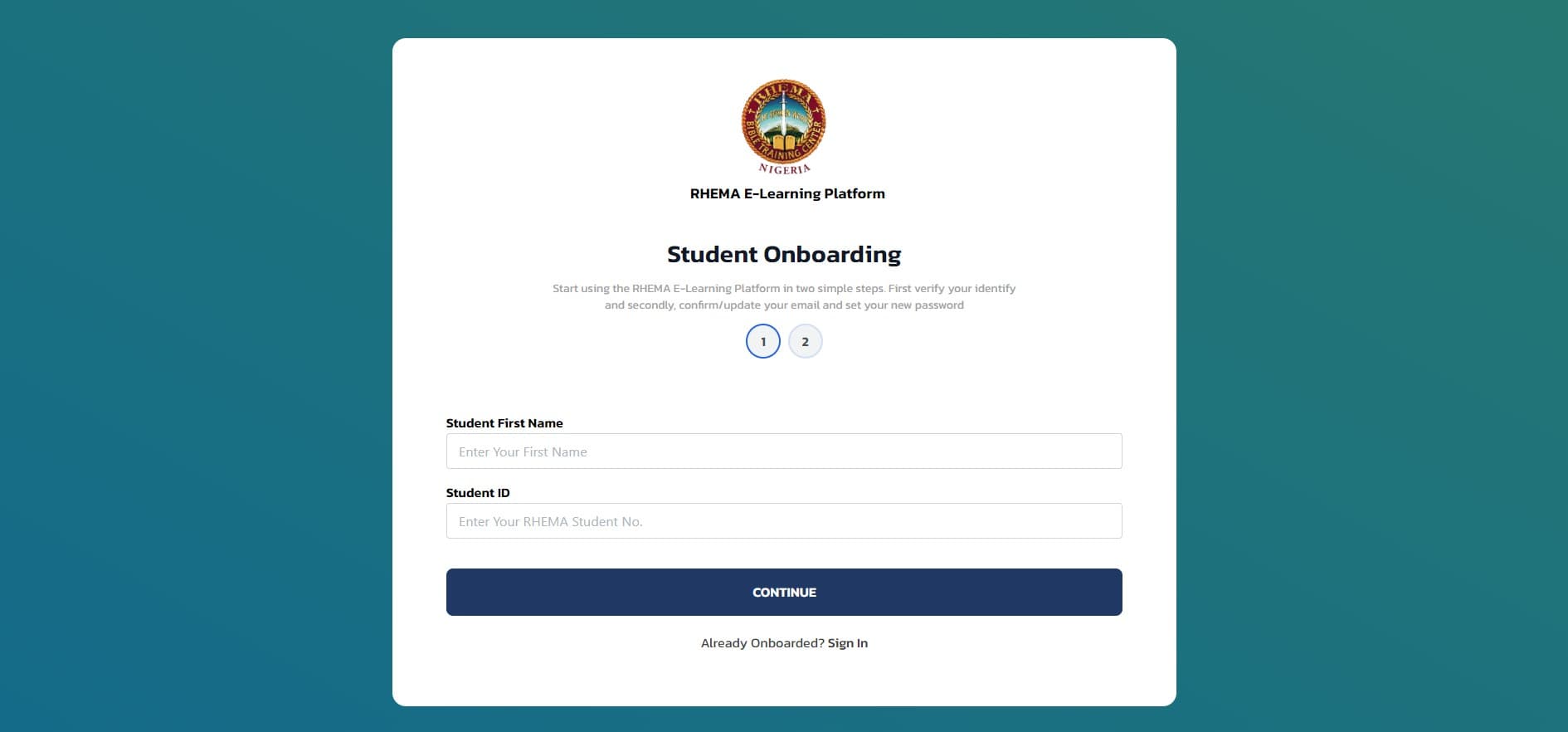
On the onboarding page, type your First Name and Student ID in the input fields and click Continue.
Set Up Your Credentials
On the next page, type in your Student Email and your New Password. Also type in the password a second time in the Confirm Password field and click Continue.
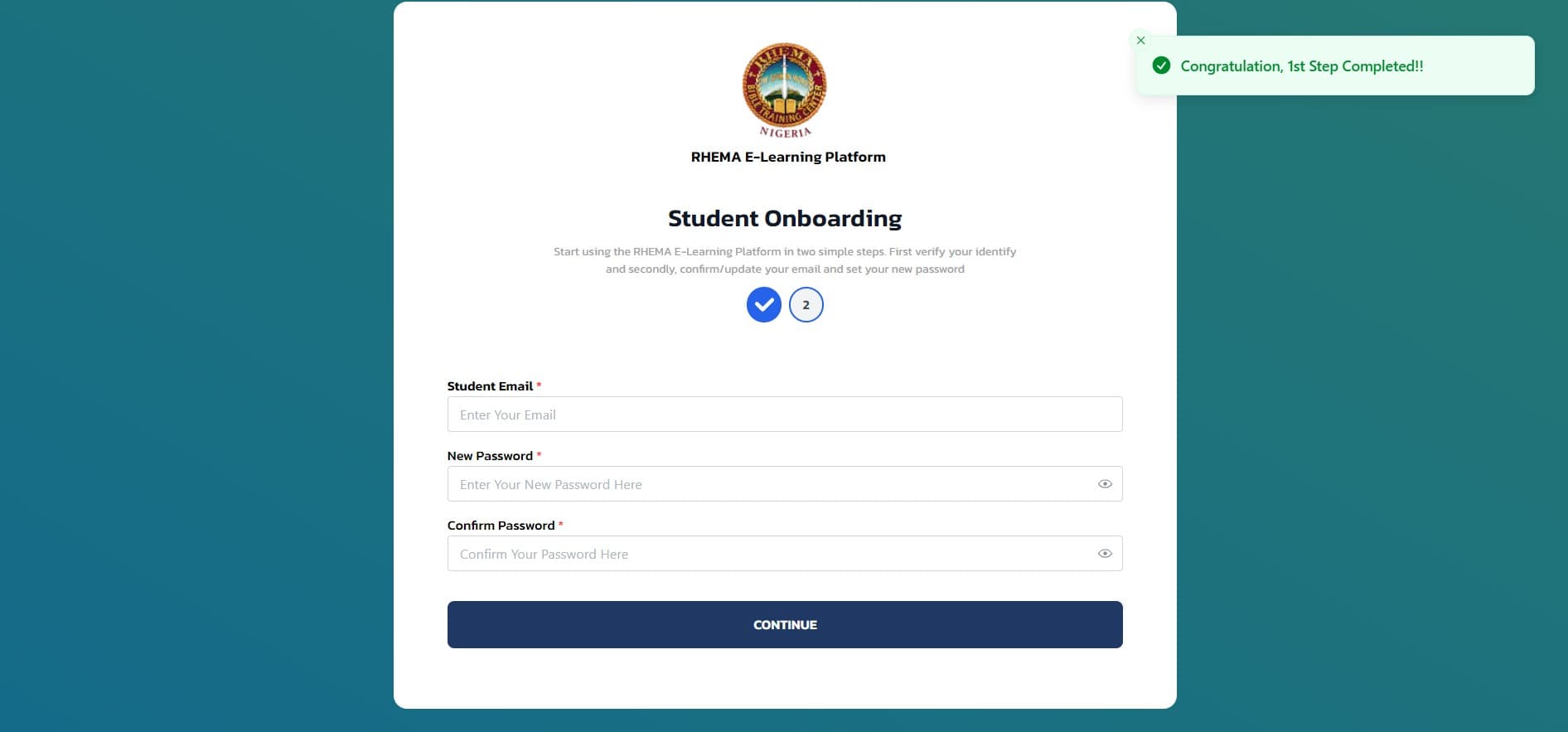
Make sure your password is strong and secure. You'll use these credentials to log in to the platform.
Complete Onboarding
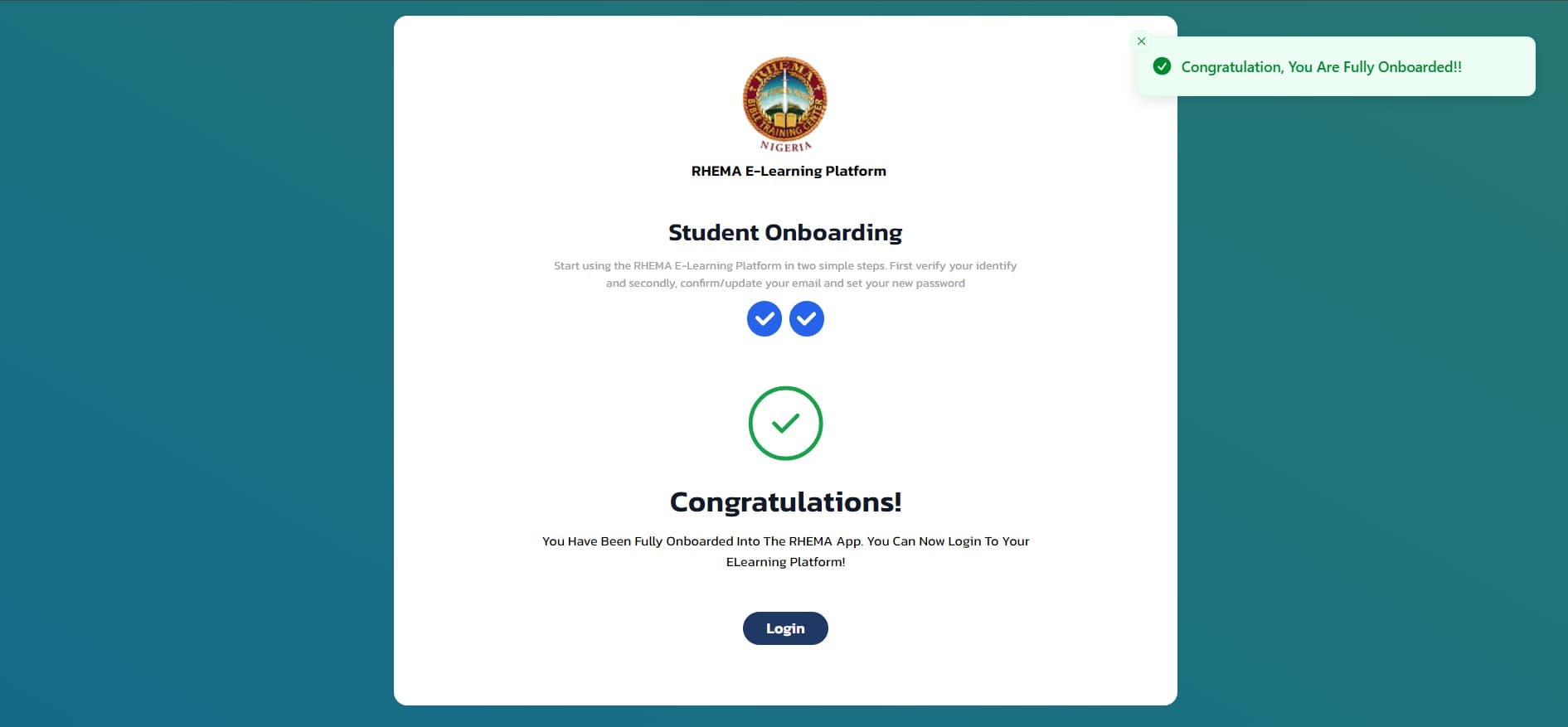
If all your details were entered correctly, you should get a Congratulations Message and you have onboarded successfully. You can proceed to the Login page.
Next Steps
After successful onboarding, you can: