 RAPP Student Docs
How to Take Online Orientation on the RHEMA App
This guide walks you through completing your orientation activities on the RHEMA App. Learn how to access orientation materials, participate in activities, and track your progress through the orientation process.
Login to the Platform
Navigate to https://app.rhemanigeria.com and login with your username and password.
You can also follow our login guide to access the RHEMA App.
Access the Orientation Page
After successful login, go to the Orientation page by clicking the Orientation item in the sidebar menu.
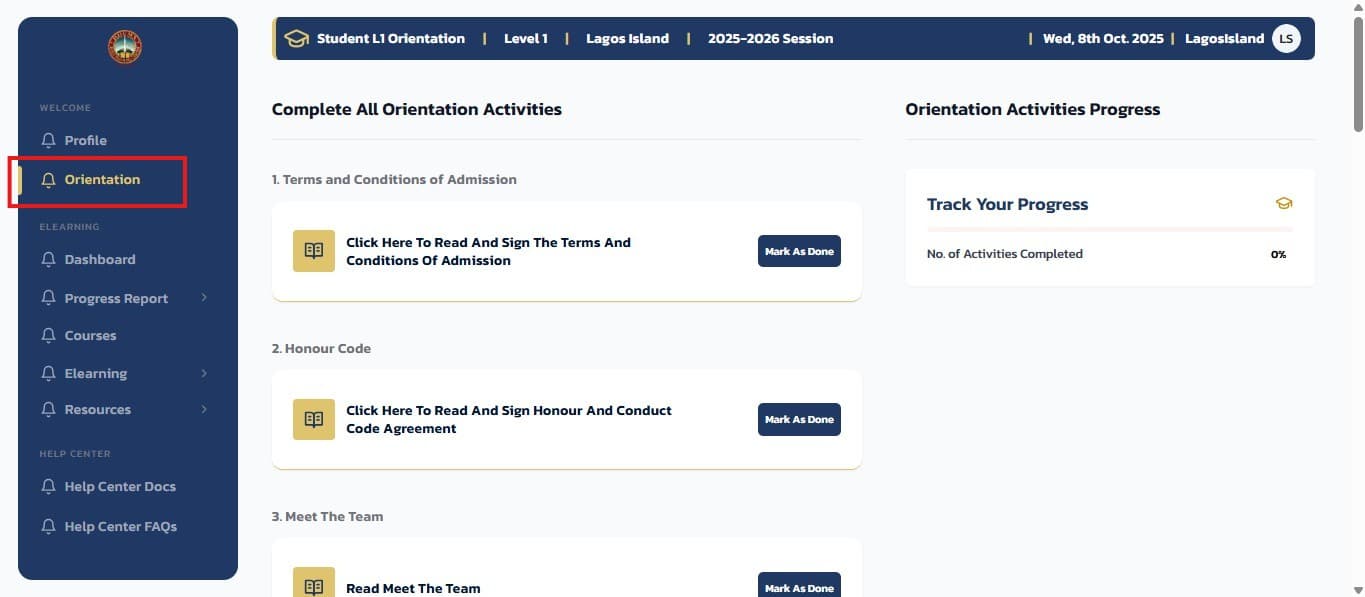
On the orientation page, you can see all the orientation activities and a progress tracker that shows your completion status.
Participate in Orientation Activities
You can click on any of the orientation items to participate in that activity. The orientation activities may include:
- Google Forms - Fill out required forms and questionnaires
- External Documents - Open and review important documents
- Pre-recorded Audios - Listen to orientation presentations and instructions
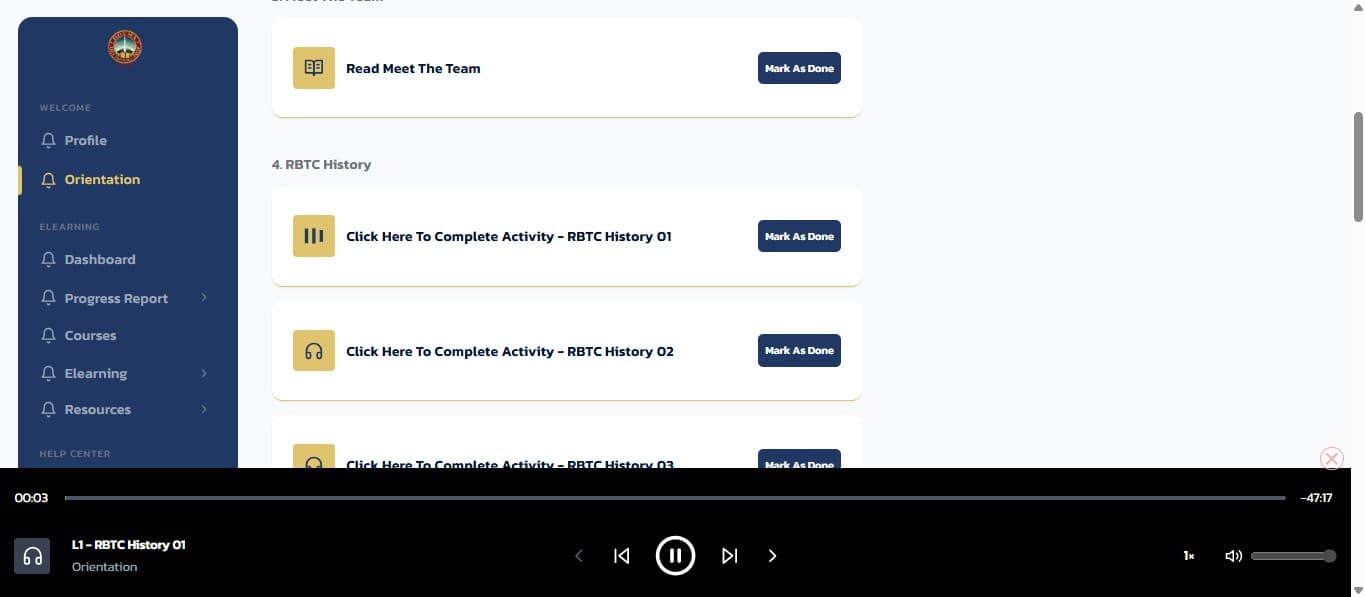
Note: Each activity type will open in the appropriate format. Forms will open in Google Forms, documents will open in your browser, and audio files will play directly in the app.
Mark Activities as Complete
When you have finished any activity, click the Mark as Done button for that specific activity.

Once you click the button:
- The button will turn green to indicate completion
- You'll receive a popup message saying "Progress updated"
- Your overall progress tracker will be updated
Important: Make sure to complete each activity fully before marking it as done. This ensures you receive all necessary orientation information.
Tips for Success
- Complete All Activities: Ensure you participate in every orientation activity for a comprehensive understanding
- Track Your Progress: Use the progress tracker to monitor which activities you've completed
- Take Your Time: Don't rush through the materials - they contain important information for your studies
- Ask Questions: If you have questions about any orientation content, reach out to student services
What's Next?
After completing your orientation, you'll be ready to: