 RAPP Student Docs
Accessing Course Materials on the RHEMA App
This guide helps you locate and understand the course materials and syllabus for each course. Learn how to access course objectives, weekly topics, grading policies, and important deadlines to stay informed and on track throughout your studies.
Login and Navigate to Classes
Login to the RHEMA App and navigate to the E-learning Class page.
You can also click on E-learning → Classes (Ongoing) from the sidebar menu to navigate to the E-learning Class page.
Access Course Syllabus
On the Class page, click on the "Read Course Syllabus" button directly under the audio player.

Clicking on the button will open the course syllabus in a new page.
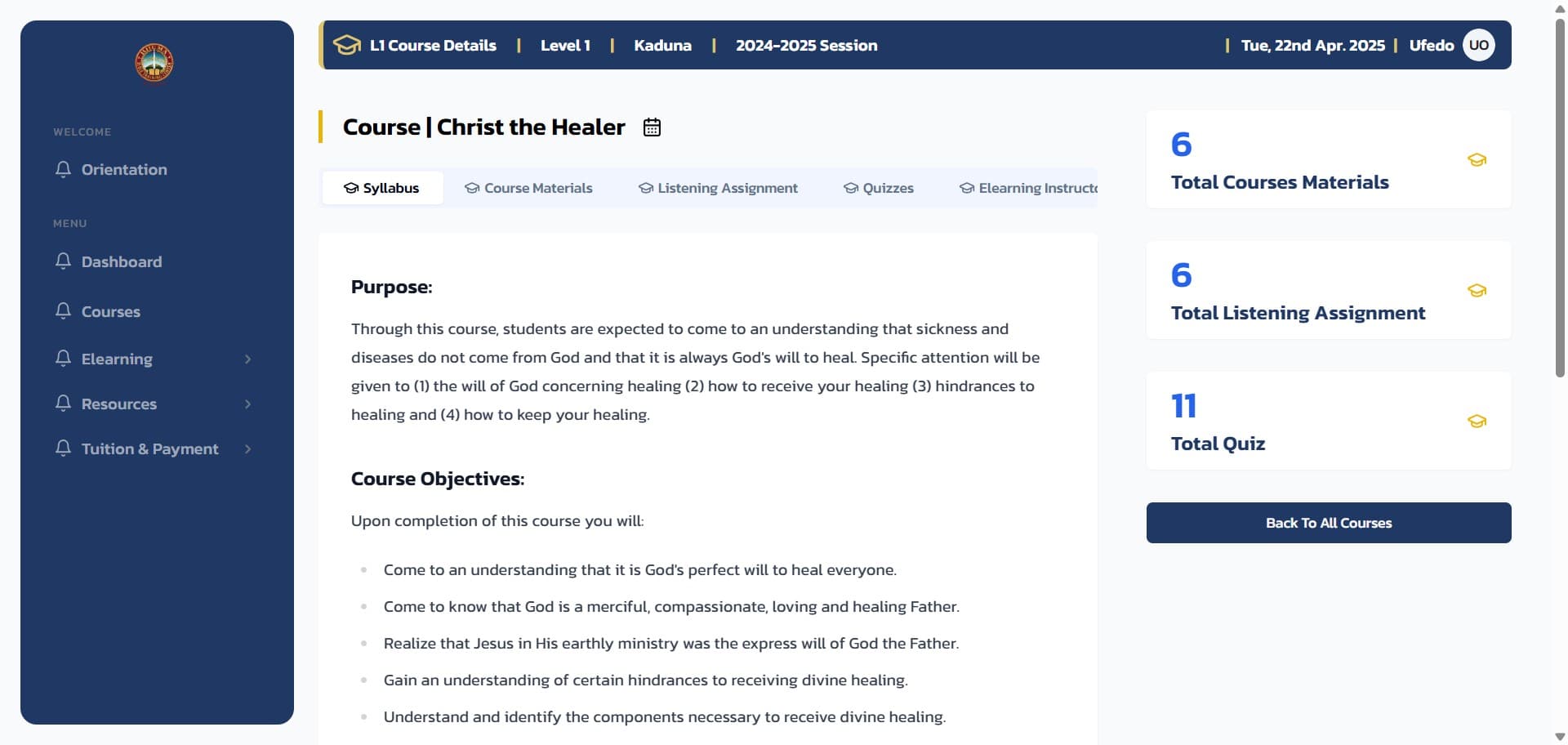
You will also find other useful information about the course including:
- Number of Course Materials
- Number of Listening Assignments
- Total Quiz count for the course
View Course Materials
On the course page, click on the Course Materials tab to view all available course materials.
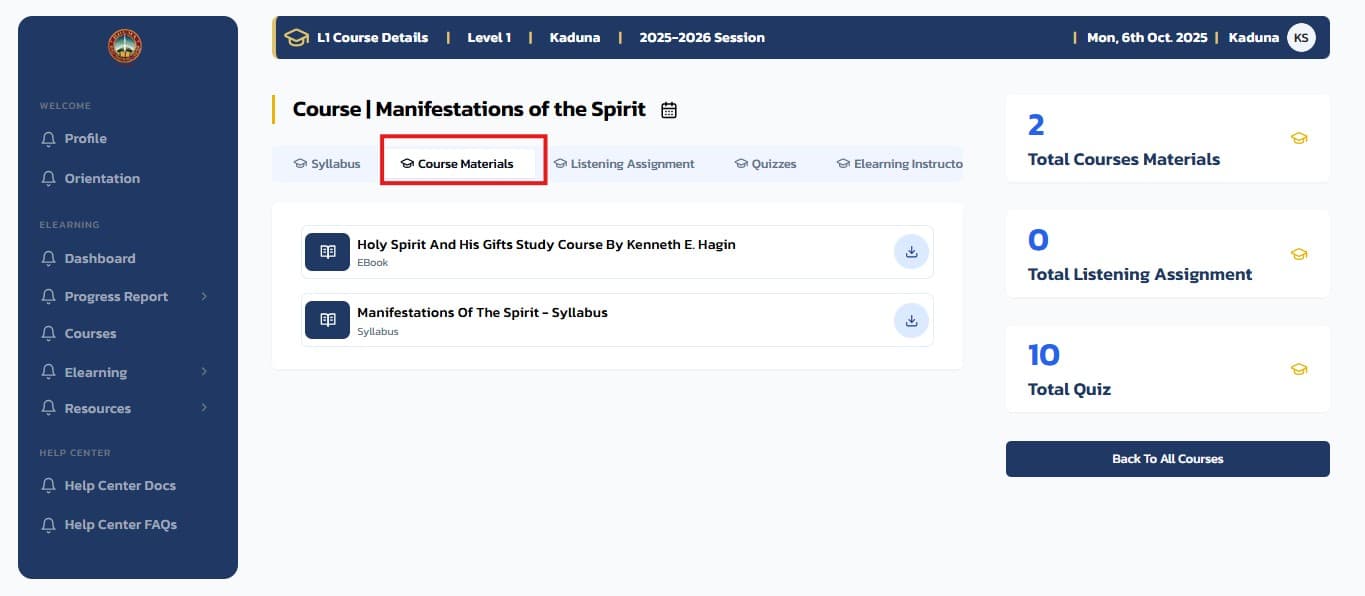
Here you can find all the course materials available for download. Click on any material to download it to your device for viewing.
Login to the Platform
Login to the RHEMA App.
Navigate to Courses
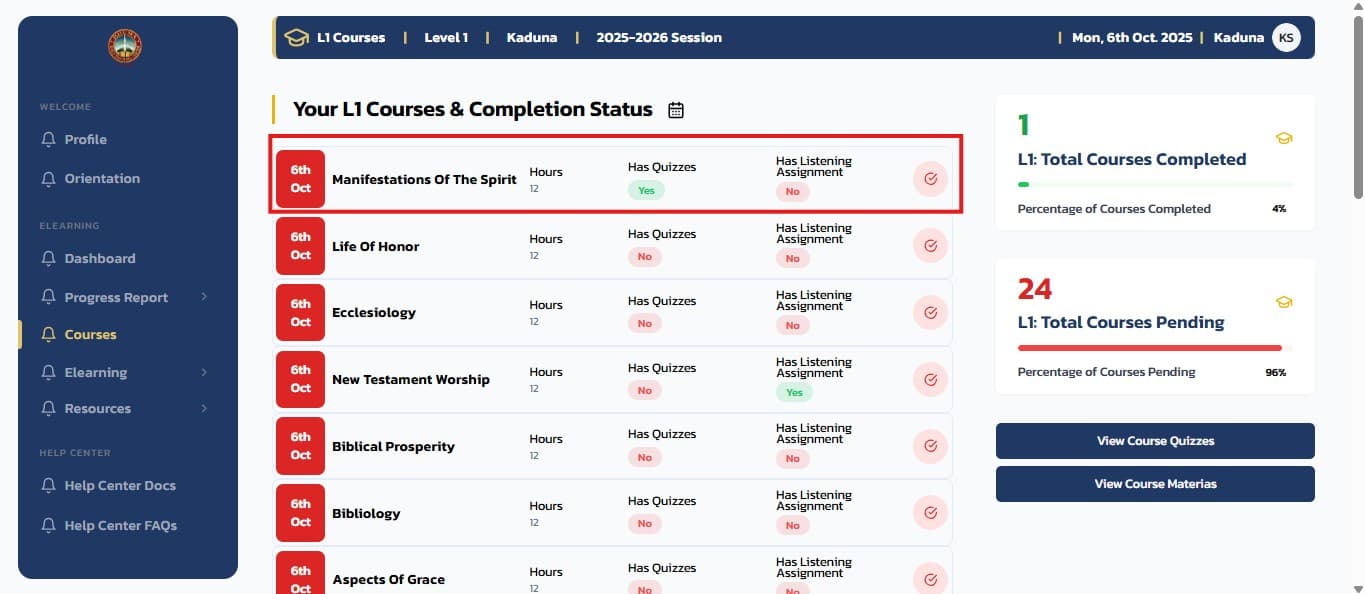
From the sidebar menu, click on the Courses menu item to navigate to the Courses page.
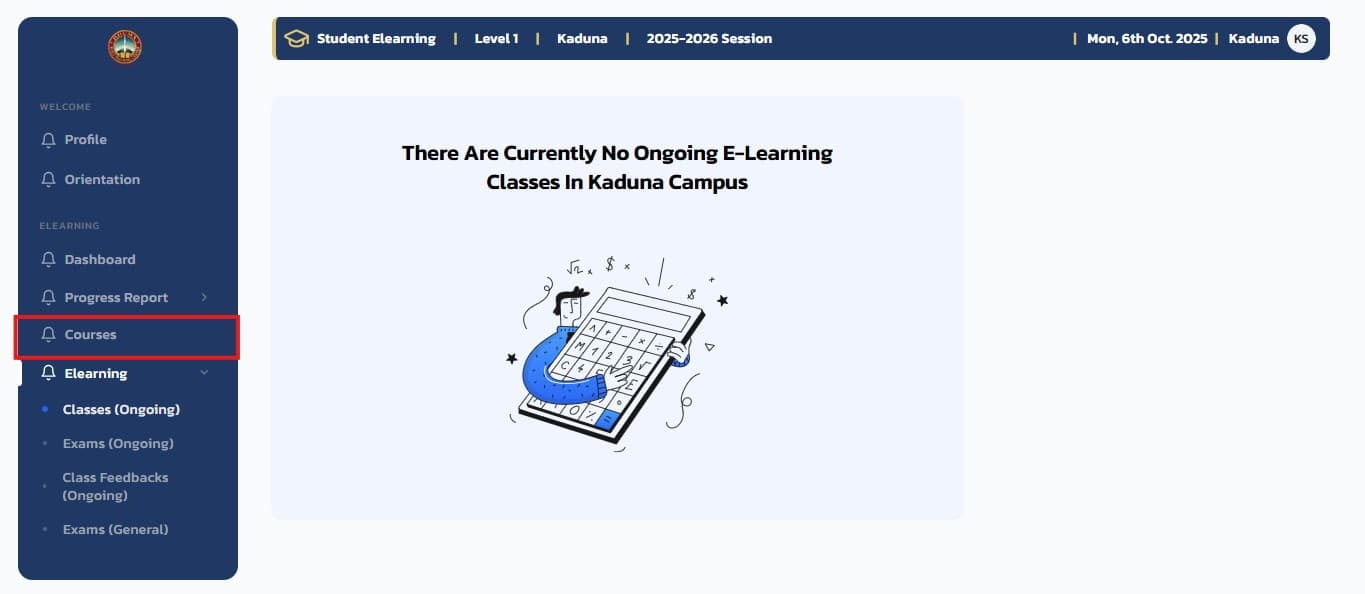
This will display a list of all available courses.
Access Course Materials
On the course page, click on the Course Materials tab to view all available materials for the course.
You can download any of the course materials by clicking on them. The materials can then be viewed directly from your device.
The course syllabus and materials are typically PDFs or Presentation files that can be viewed with the appropraite software such as a PDF reader or presentation viewer.
Related Guides
How to Take Exams on the RHEMA App
Complete guide to taking exams on the RHEMA Nigeria e-learning platform, including preparation, navigation, and important exam rules
Accessing the Course Syllabus on the RHEMA App
This guide helps you locate and understand the syllabus for each course. The syllabus outlines course objectives, weekly topics, grading policies, and important deadlines, helping you stay informed and on track throughout the course