 RAPP Student Docs
Checking E-learning Progress on the RHEMA App
This guide shows you how to check and manage your E-learning activity on the RHEMA App. Learn how to view your courses, monitor your progress, track completed classes, and stay updated with new content. Staying engaged with your E-learning progress helps you stay on top of your academic goals.This guide shows you how to check and manage your E-learning activity on the RHEMA App. Learn how to view your courses, monitor your progress, track completed classes, and stay updated with new content. Staying engaged with your E-learning progress helps you stay on top of your academic goals.
Login to the Platform
Login to the RHEMA App.
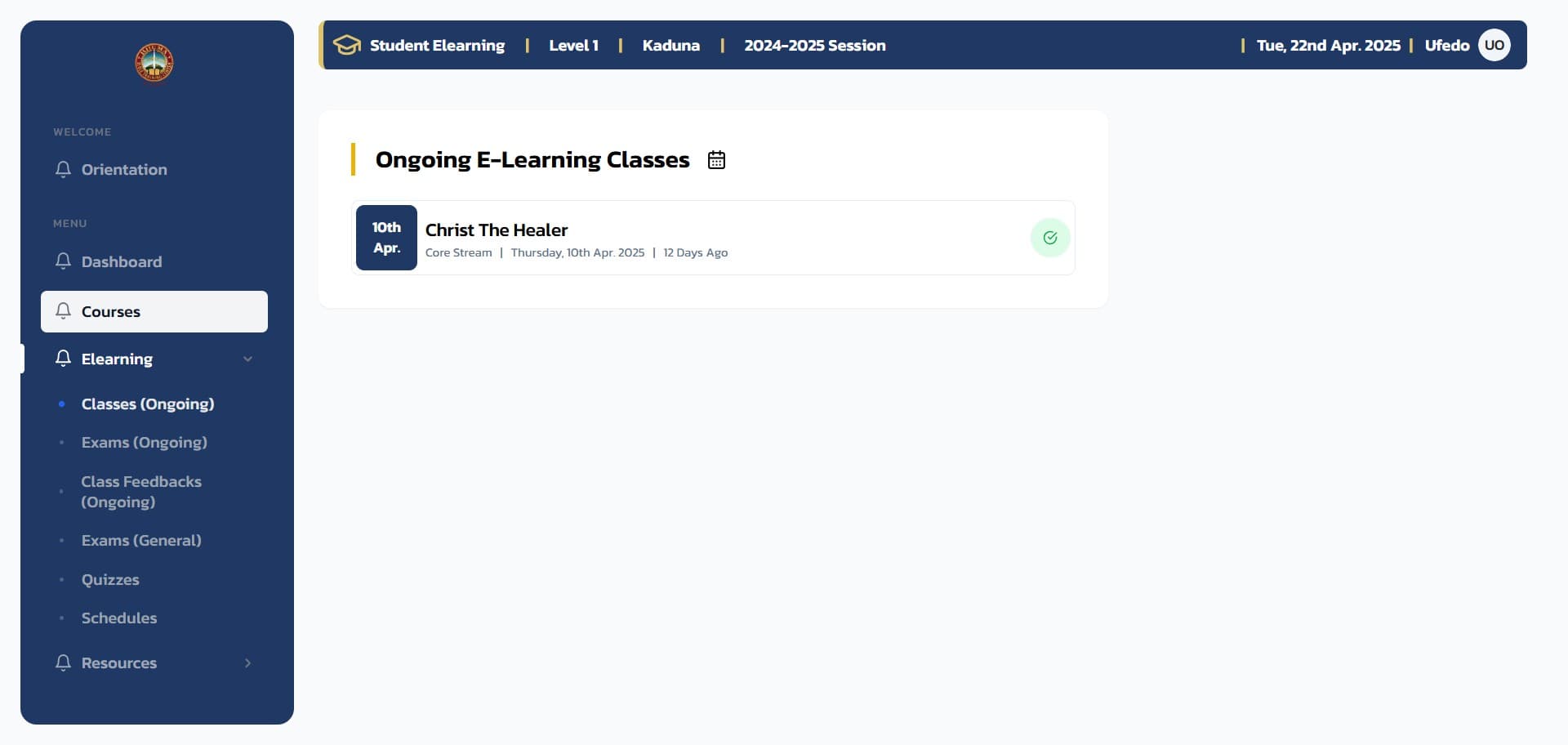
Navigate to Courses
From the navigation menu, click on the Courses menu item to navigate to the Courses page.
Review Your Progress
On the course page, you can see all the courses you need to complete for your current level. The page displays:
- Total courses for your level
- Number of courses completed
- Number of courses pending
- Listening assignments count per course
- Quizzes count per course
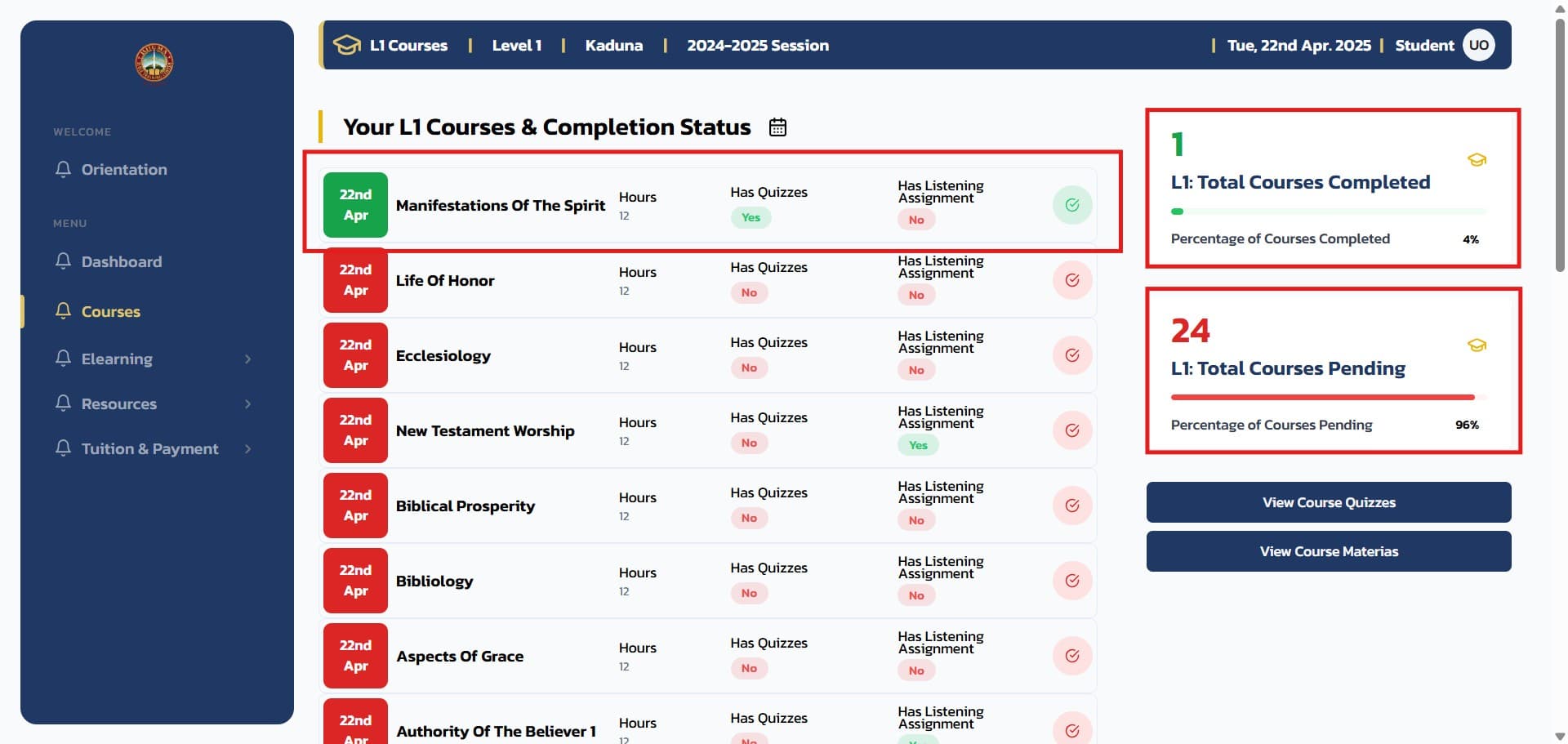
Clicking on any course will open the course page where you can access detailed information and materials.
Understanding Progress Indicators
Course Status Color Coding:
Green Background: Courses that have been completed
Red Background: Courses that have not been completed
Course Completion Requirements:
Complete attendance for the course (at least 11 sessions) and successfully take and pass the course exam.
What You Can Track
Course Overview
- Total Courses: Complete list of courses for your level
- Completion Status: Visual indicators of your progress
- Course Details: Access to syllabus, materials, and instructor information
Progress Metrics
- Completed Courses: Courses where you've met all requirements
- Pending Courses: Courses still in progress or not started
- Listening Assignments: Audio content requirements per course
- Quiz Count: Number of assessments per course
Academic Planning
- Level Requirements: See what's needed to complete your current level
- Time Management: Plan your study schedule based on pending courses
- Goal Setting: Track progress toward academic milestones
Tips for Success
- Regular Check-ins: Review your progress weekly to stay on track
- Prioritize Pending Courses: Focus on courses with red indicators
- Plan Ahead: Use the course overview to plan your study schedule
- Track Attendance: Remember you need at least 11 sessions per course
- Monitor Deadlines: Keep track of exam periods and important dates