 RAPP Student Docs
Accessing the Instructor Bio on the RHEMA App
Get to know your instructor through their professional bio. This guide shows you where to view information about your instructor's background, teaching experience, and areas of expertise to help you build a better connection with your learning experience
Login and Navigate to Classes
Login to the RHEMA App and navigate to the E-learning Class page.
You can also click on E-learning → Classes (Ongoing) from the sidebar menu to navigate to the E-learning Class page.
Access Instructor Bio
On the Class page, click on the "Read E-Learning Instructor Bio" button directly under the audio player.
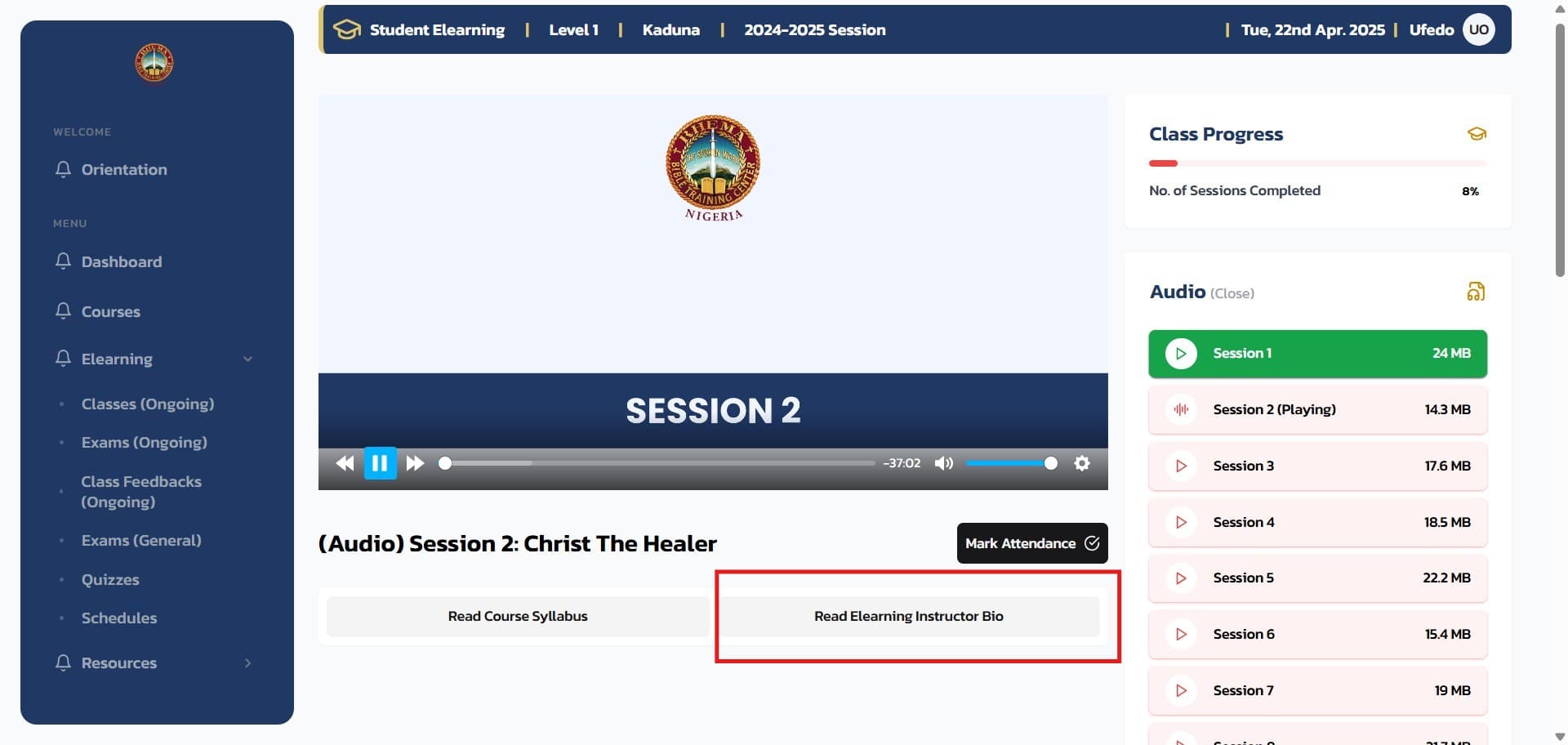
Clicking on the button will open the E-learning Instructor Bio in a new page.
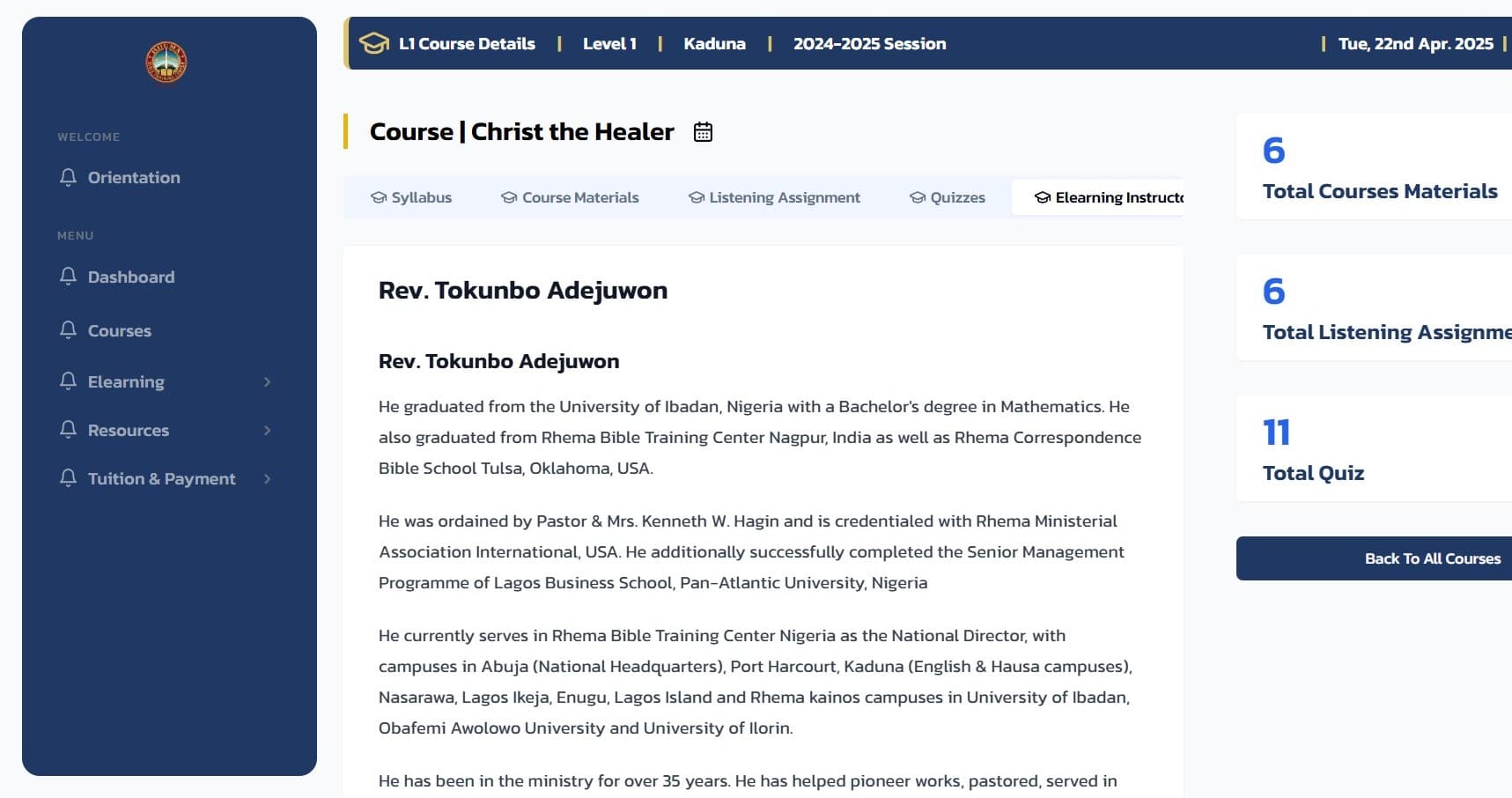
What You'll Find in the Instructor Bio
The instructor bio typically includes:
Professional Background
- Educational Qualifications: Degrees and certifications
- Teaching Experience: Years of experience and previous roles
- Professional Experience: Industry background and expertise
Why This Matters: Understanding your instructor's background helps you: connect better with the course material, understand their teaching approach, appreciate their expertise in the subject, feel more engaged with your learning experience
Related Guides
Accessing the Course Syllabus on the RHEMA App
This guide helps you locate and understand the syllabus for each course. The syllabus outlines course objectives, weekly topics, grading policies, and important deadlines, helping you stay informed and on track throughout the course
Checking E-learning Progress on the RHEMA App
This guide shows you how to check and manage your E-learning activity on the RHEMA App. Learn how to view your courses, monitor your progress, track completed classes, and stay updated with new content. Staying engaged with your E-learning progress helps you stay on top of your academic goals.This guide shows you how to check and manage your E-learning activity on the RHEMA App. Learn how to view your courses, monitor your progress, track completed classes, and stay updated with new content. Staying engaged with your E-learning progress helps you stay on top of your academic goals.