 RAPP Student Docs
Accessing the Course Syllabus on the RHEMA App
This guide helps you locate and understand the syllabus for each course. The syllabus outlines course objectives, weekly topics, grading policies, and important deadlines, helping you stay informed and on track throughout the course
Login and Navigate to Classes
Login to the RHEMA App and navigate to the E-learning Class page.
You can also click on E-learning → Classes (Ongoing) from the sidebar menu to navigate to the E-learning Class page.
Access Course Syllabus
On the Class page, click on the "Read Course Syllabus" button directly under the audio player.

Clicking on the button will open the course syllabus in a new page.
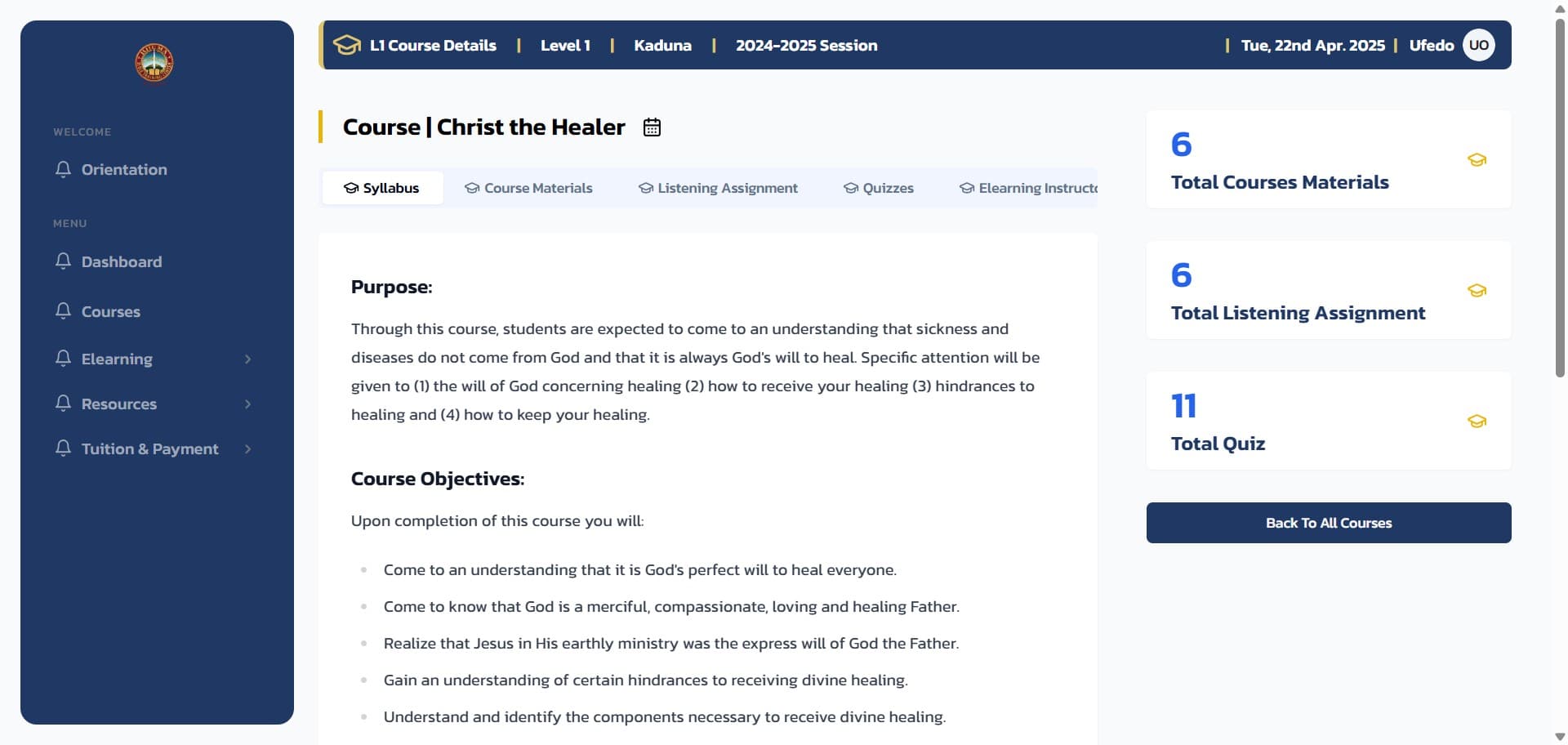
You will also find other useful information about the course including:
- Number of Course Materials
- Number of Listening Assignments
- Total Quiz count for the course
Login to the Platform
Login to the RHEMA App.
Navigate to Courses
From the navigation menu, click on the Courses menu item to navigate to the Courses page.
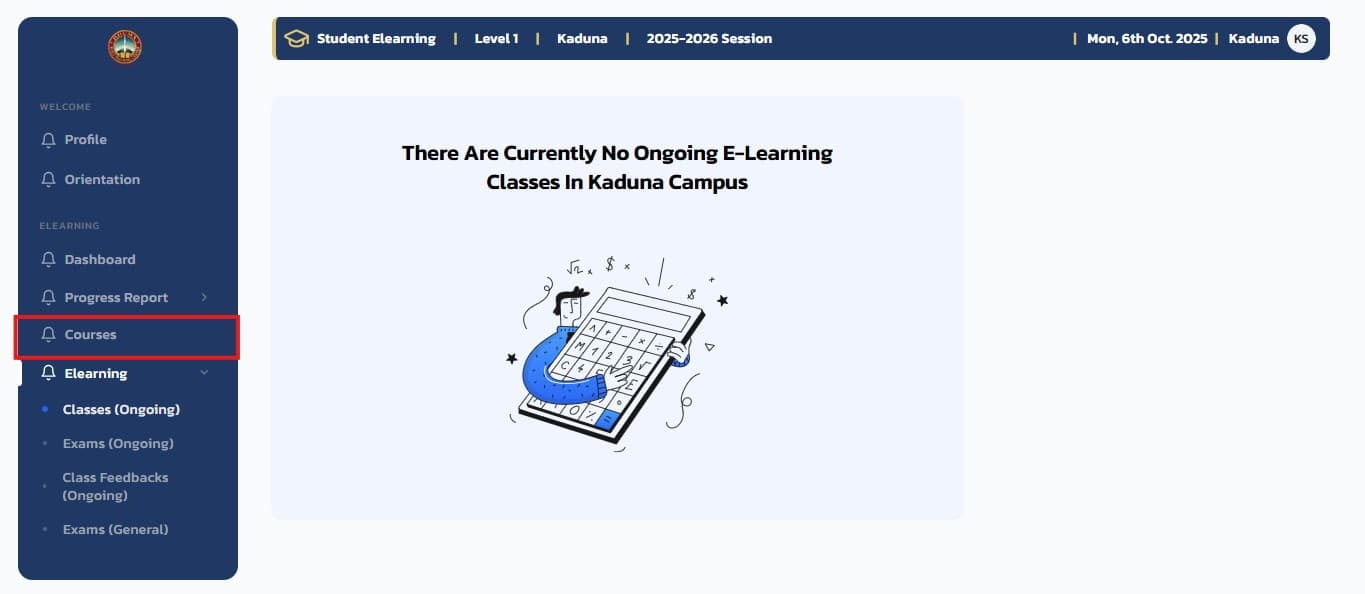
On the course page, clicking on any course will open the course syllabus in a new page.
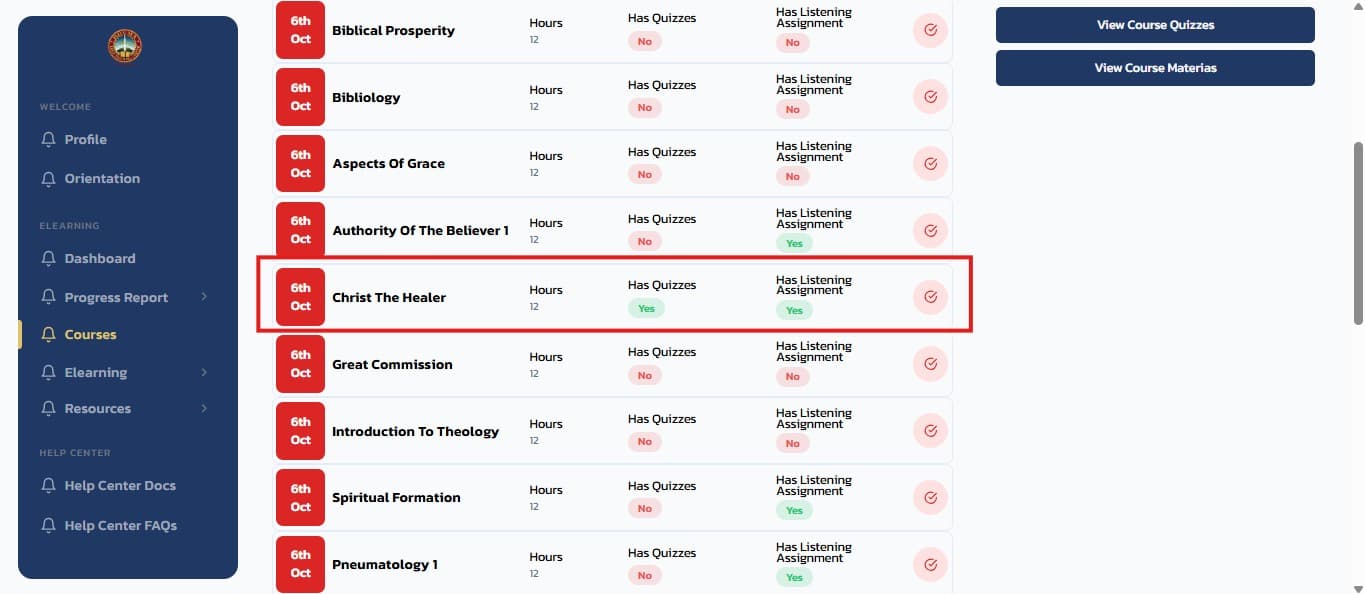
Understanding Your Course Syllabus
The course syllabus provides essential information including:
Course Overview
- Course Objectives: Clear learning goals and outcomes
- Course Description: What the course covers
- Prerequisites: Required knowledge or completed courses
Course Structure
- Weekly Topics: Detailed breakdown of what you'll study each week
- Course Materials: Required readings and resources
- Listening Assignments: Audio content you need to complete
Assessment Information
- Grading Policies: How your performance will be evaluated
- Quiz Details: Number and format of assessments
- Important Deadlines: Key dates for assignments and exams
Pro Tip: Review your course syllabus at the beginning of each course and refer back to it regularly to stay on track with your studies.
Related Guides
Accessing Course Materials on the RHEMA App
This guide helps you locate and understand the course materials and syllabus for each course. Learn how to access course objectives, weekly topics, grading policies, and important deadlines to stay informed and on track throughout your studies.
Accessing the Instructor Bio on the RHEMA App
Get to know your instructor through their professional bio. This guide shows you where to view information about your instructor's background, teaching experience, and areas of expertise to help you build a better connection with your learning experience